01
Capture
Describe the geometry that is actually there.
Build irregular outlines, circles, arcs, cutouts, and out-of-square corners on a scaled grid.
MilliDraw 4.4 · Measured drawing on iPad
Turn awkward geometry and exact measurements into one clear drawing before the details become a second visit, a remake, or another message thread.
6-minute core workflow
The tutorial covers the foundation from sketch to handoff. Version 4.4 adds native millimeters, exact movement, typed annotations, and the latest Free and 90° Lock workflow.
Watch on YouTubeOne job, one clear handoff
MilliDraw stays focused on the measured 2D drawing you need now, without turning a quick site visit into a full CAD session.
Capture
Build irregular outlines, circles, arcs, cutouts, and out-of-square corners on a scaled grid.
Refine
Enter exact values, move geometry by a precise distance, align endpoints, trim intersections, and revise without rebuilding.
Send
Export a readable PDF for people or a DXF base for the next CAD step.
New in 4.4
The latest release improves the part between the first sketch and the final file: exact units, controlled movement, clearer instructions, and faster alignment.
Millimeter values now flow through editing, labels, saved documents, PDF metadata, and DXF export.
Shift a line, connected selection, circle, or arc precisely in the active measurement unit.
Add, edit, move, and erase text notes. They stay with MilliDraw PDFs and are included in PDF and DXF output.
Free is now the default, with 90° Lock, a temporary axis constraint, and endpoint alignment guides when precision matters.
A localized guide now covers drawing, measurement, annotations, editing, export, and direct support links.
PDF measurement output is refined for native millimeter values and circle or arc geometry.
Current product screens
These are the current approved MilliDraw screens and outputs — not reconstructed interface mockups.
Inspect the output
A drawing is useful when the next person can understand it. PDF keeps the dimensions readable; DXF carries vector geometry into the next CAD step.
The downloadable samples below demonstrate the file formats. They predate the 4.4 gallery and are not presented as the exact project shown above.
Built for real work
Use MilliDraw when a photo plus a list of numbers is too easy to misread, but a full CAD workflow is too heavy for the visit.
Communicate marble, wood, glass, and metal shapes with geometry a workshop can inspect.
Keep walls, depths, openings, appliances, and notes in one measured drawing.
Capture irregular rooms and existing conditions before the details turn into message threads.
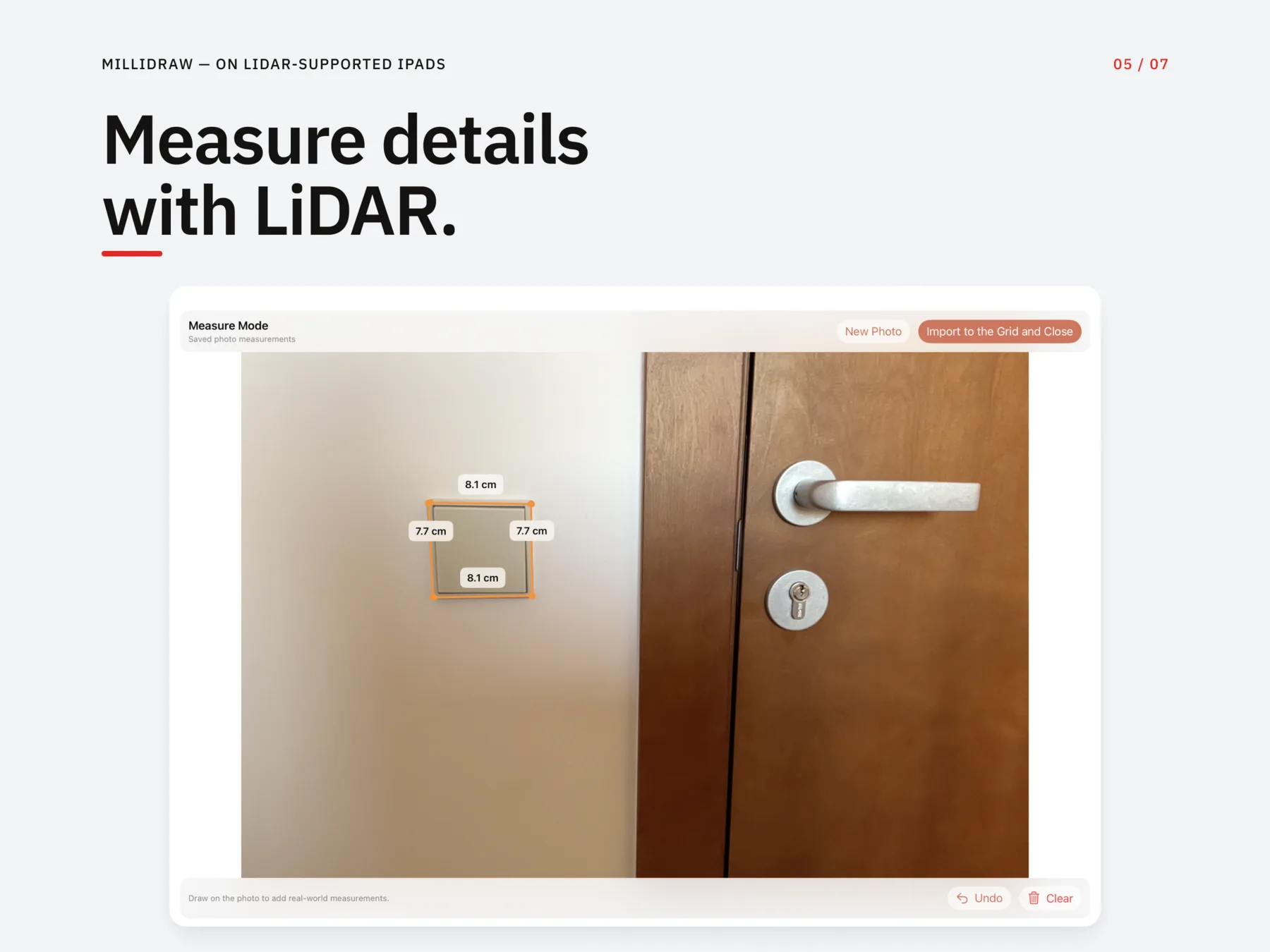
On LiDAR-supported iPads
Capture inside MilliDraw, place measurement lines on the image, then bring the result back to the grid.

Made for the worksite
Drawings remain on your device. Open the app, capture the job, and export without cloud setup.
Questions before purchase
Yes. MilliDraw lets you draw lines, squares, triangles, circles, arcs, and irregular 2D shapes, then enter exact lengths, angles, and radii. It is designed for measured drawings rather than free-form illustration.
MilliDraw for iPad
Build the measured sketch, resolve the awkward geometry, and leave the site with a file the next person can use.
Download on the App Store