DXF export guide
Export a measured iPad drawing to DXF
Draw precise 2D geometry with Apple Pencil, enter exact dimensions, and export a DXF as a starting point for CAD review and continued technical work.
When DXF is the useful handoff
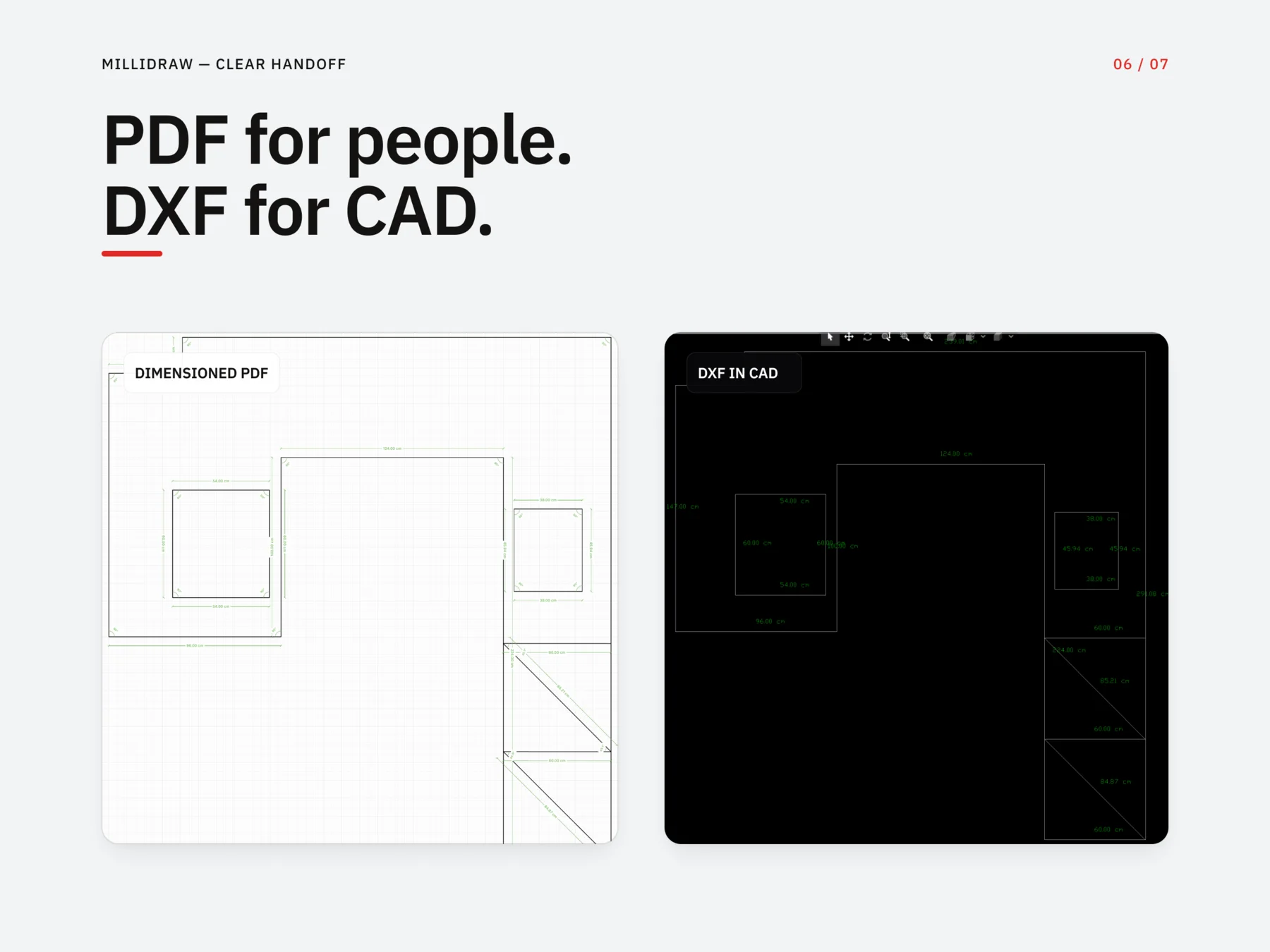
A dimensioned PDF is easy to read and share. A DXF carries reusable 2D vector geometry into compatible CAD software, so the next person can inspect or continue the drawing without tracing a screenshot or paper sketch.
What MilliDraw exports
DXF export includes vector lines, circles, arcs, straight-line measurement labels, and typed text. Freehand ink and background images are not included. MilliDraw exports DXF but does not import or edit arbitrary DXF or DWG files.
A practical iPad-to-CAD workflow
- Take the real measurements with a tape, laser, or a new LiDAR depth capture made inside MilliDraw on a supported iPad.
- Draw the shape on iPad with Apple Pencil.
- Enter the required lengths and angles, then check for missing or inconsistent dimensions.
- Export a PDF for readable review and a DXF for the CAD handoff.
- Open the DXF in the downstream CAD workflow and verify the file before production use.
Compatible CAD workflows
MilliDraw's DXF is intended as a simple 2D base for tools such as AutoCAD, FreeCAD, LibreCAD, Fusion 360, and other software that accepts standard DXF geometry.
Where it fits best
Use it for an irregular countertop, a replacement glass panel, a custom shelf, a metal plate, or a quick renovation base drawing when full CAD setup is too heavy for the site visit.
Test the handoff with a sample file
Download the sample DXF to confirm that the format fits your downstream software and process.
Before fabrication or CNC work, verify geometry, dimensions, tolerances, units, and production settings in the downstream CAD or CAM workflow. MilliDraw does not generate toolpaths or machine instructions.
DXF export questions
- Can I export a drawing from iPad to DXF?
- Yes. Draw the measured geometry in MilliDraw, enter the required dimensions, and export it as a DXF file for CAD handoff.
- What does the DXF export include?
- MilliDraw exports vector lines, circles, arcs, straight-line measurement labels, and typed text. Freehand ink and background images are not included.
- Can MilliDraw open DXF or DWG files?
- No. MilliDraw currently exports DXF but does not import or edit arbitrary DXF or DWG files.
- Is the exported DXF ready for CNC or fabrication?
- It is a CAD handoff file, not a finished CAM job. Review geometry, dimensions, tolerances, and production settings in your downstream CAD or CAM workflow before cutting. MilliDraw does not generate toolpaths or machine instructions.
Related guide: from a paper sketch to a clean CAD base.